I turned a PDF recipe book into a guided cooking experience on the store.
Eat to Thrive pairs whole-food recipes with each Adapt Naturals supplement. Instead of a page of links, a customer picks their supplement, picks how they eat, and is handed one meal to cook, step by step.
- client
- Adapt Naturals
- role
- Concept, UX, build, deploy
- platform
- Shopify theme section
- status
- Live on the store
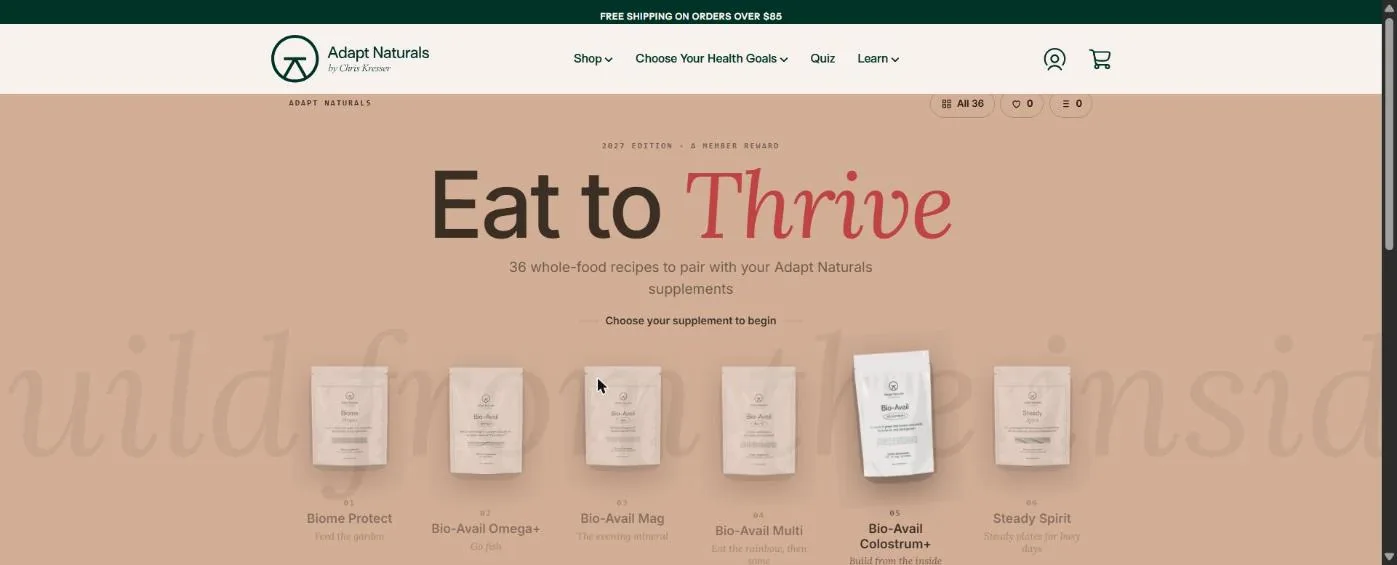
A recipe PDF that customers would actually use
The brand had a recipe book as a PDF, organised by supplement. The goal was to bring it onto the store as something people come back to, and to give each supplement a reason to sit on the kitchen counter.
I scrapped a working first version
The first build was a searchable catalogue with filters, servings scaling and a shopping list. It worked, but it was another page of links to click through. I rebuilt it as a guided flow that makes one decision at a time and ends on a single meal.
Three decisions, then dinner
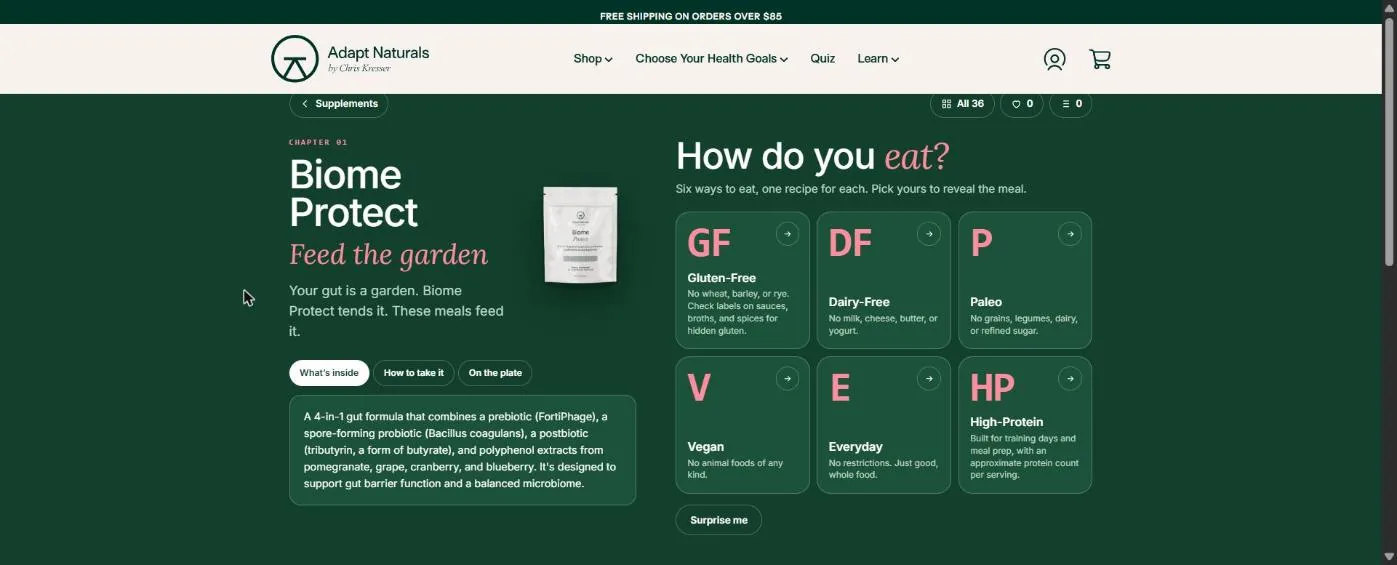
Choose how you eat
After picking a supplement, the customer sees what is inside it, how to take it, and six eating styles: gluten-free, dairy-free, paleo, vegan, everyday and high-protein. Or they can let it surprise them.
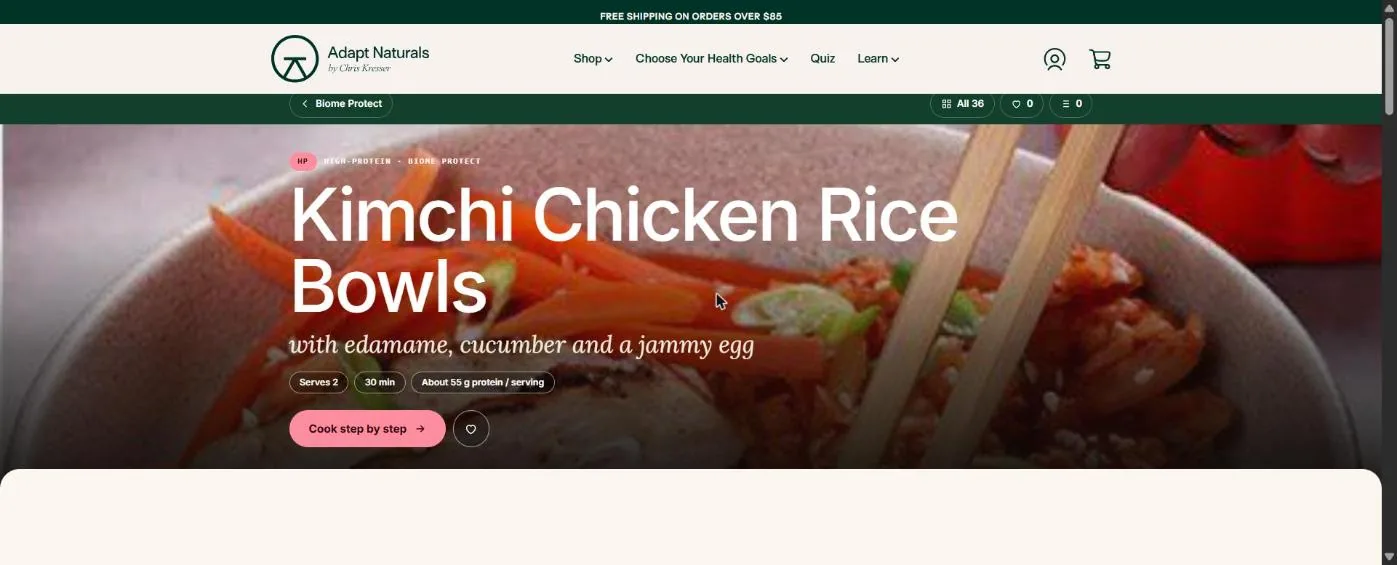
The meal reveal
One recipe, full-bleed, with serving size, time and a protein estimate up front. The primary action is to start cooking, not to keep browsing.
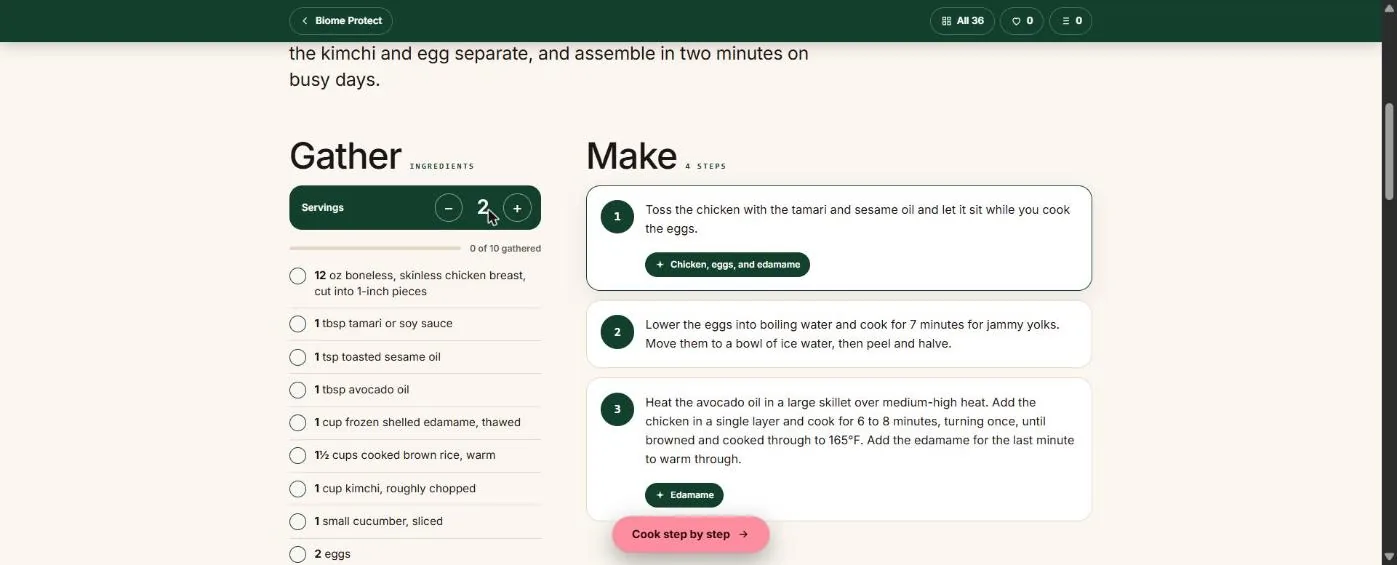
Gather and make
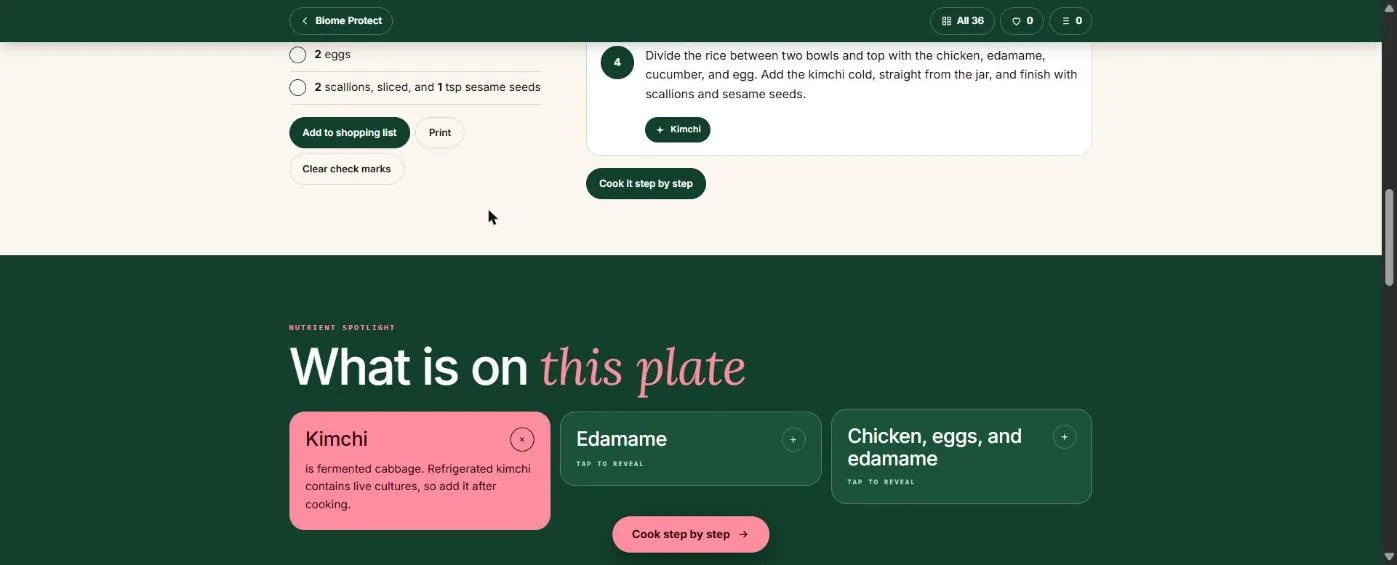
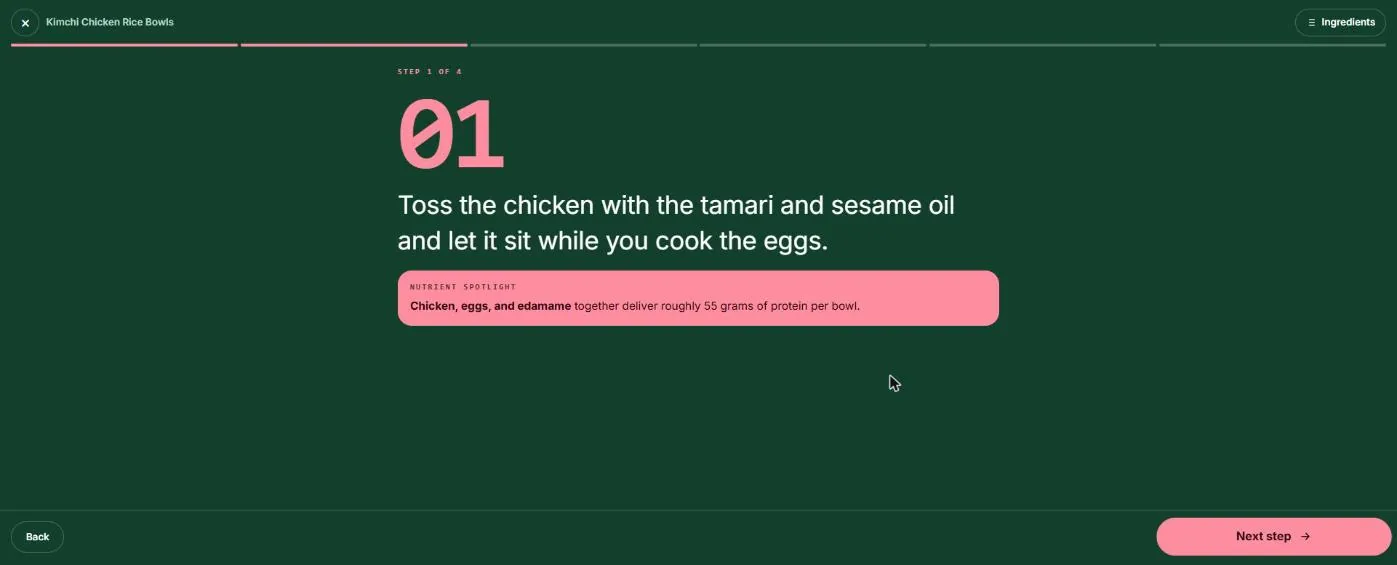
Ingredients scale with the servings control and tick off as you gather them. Each step links to the nutrient behind it, and the list can go to a shopping list or print.
Built to live inside the theme
- Native Shopify sectionA Liquid section the marketing team can place and edit in the theme editor, with no app to install.
- Split for sizeA small loader section, with the script and styles served as separate files, to stay inside Shopify's theme file limits.
- On brandMoved to the official brand palette after brand review, while keeping the colour shift per supplement.
- Draft first, then liveBuilt and reviewed on a duplicate theme, then moved to the live theme once approved.
- Shopify Liquid
- JavaScript
- CSS
- Shopify Admin API
- Claude Code
Want something like this for your store?
I design and build Shopify experiences end to end, from concept to the live theme.